
Ferris Sweep Keymap
Introduction
Section titled “Introduction”The keymap images below are exported from keymap-drawer, and the latest keymap can also be viewed there.
The source code for this keymap is available at nxtkb/zmk-config-4-ferris-sweep, which provides the complete configuration for the NXTKB Ferris Sweep keyboard.
Complete Keymap
Section titled “Complete Keymap”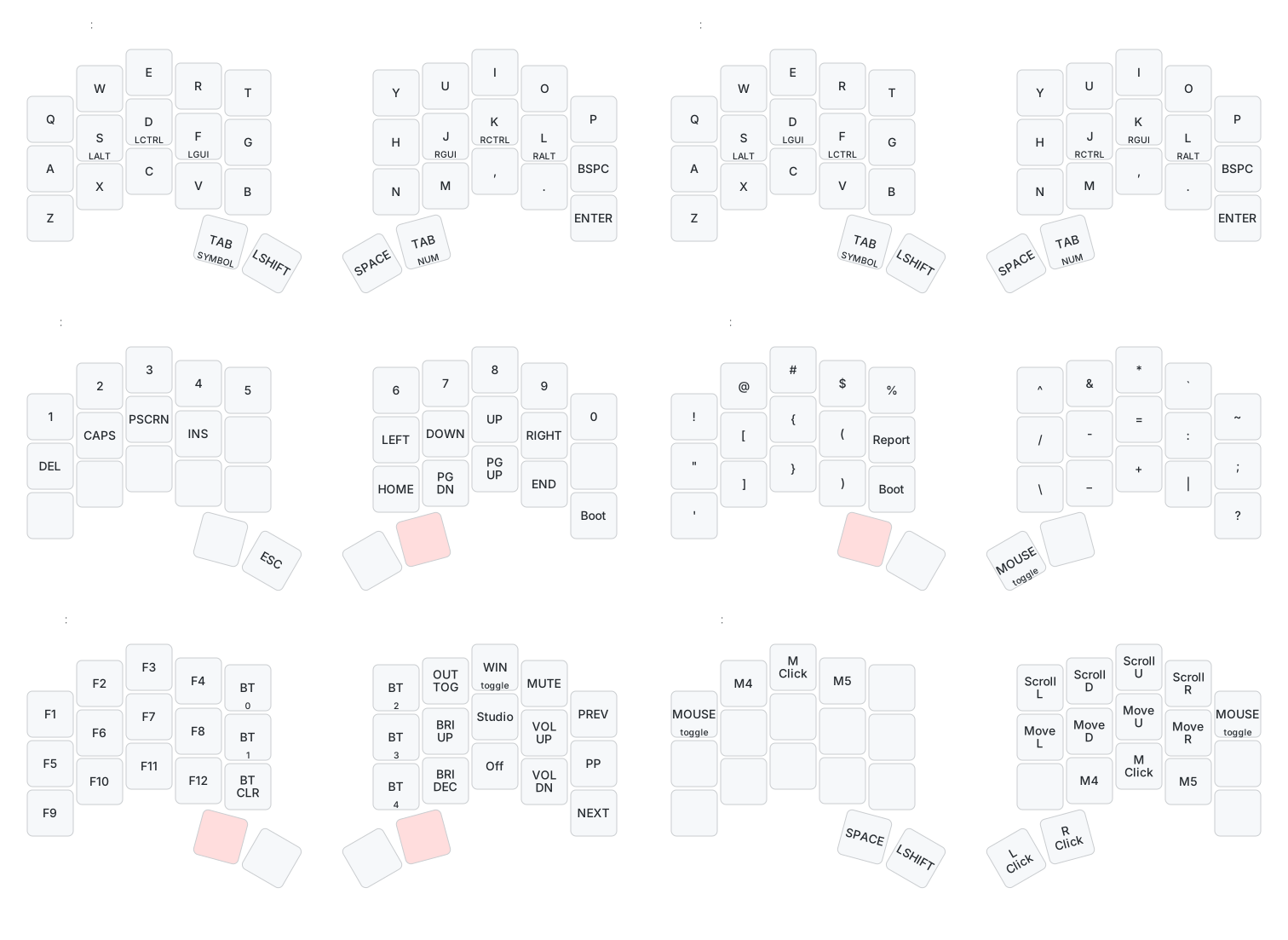
Keymap Layers
Section titled “Keymap Layers”Characters (Default Layer)
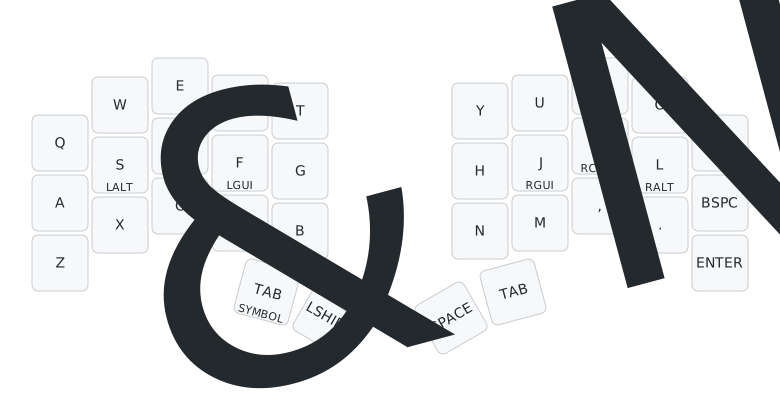
Section titled “Characters (Default Layer)”- The default layer is where you type characters.
CTRL,OPTION (ALT), andCOMMAND (WINDOWS)share the home-row character keys under your ring, middle, and index fingers. Hold the key for the modifier, or tap it for the character.
Numbers and Navigation
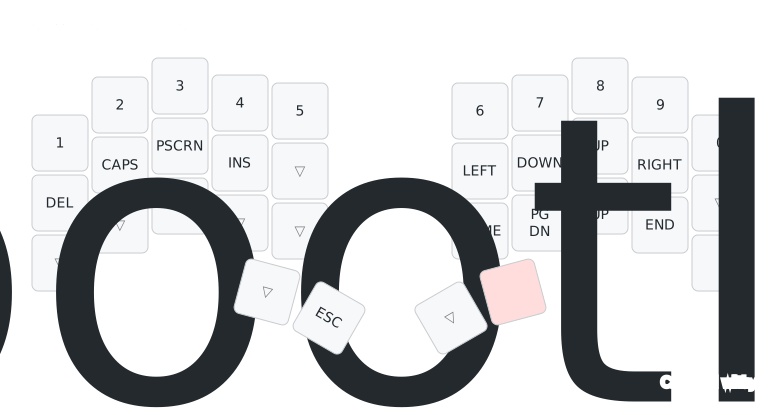
Section titled “Numbers and Navigation”- Hold the right
TABlayer key to enter the numbers and navigation layer. - Release the right
TABkey to return to the default layer. - Special keys:
Boot: make the right half of the split keyboard enter bootloader mode so you can copy new firmware to it.
Symbols (Punctuations)
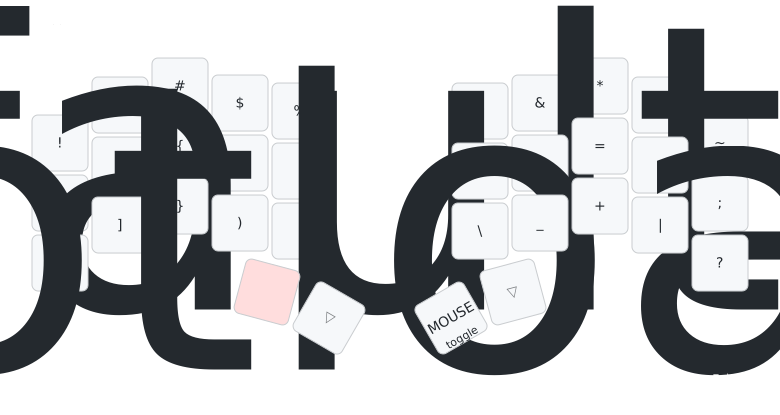
Section titled “Symbols (Punctuations)”- Hold the left
TABlayer key to enter the symbols layer. - Release the left
TABkey to return to the default layer. - Special keys:
Report: type out battery information.Boot: make the left half of the split keyboard enter bootloader mode so you can copy new firmware to it.MOUSE: switch to the mouse layer.
Functions
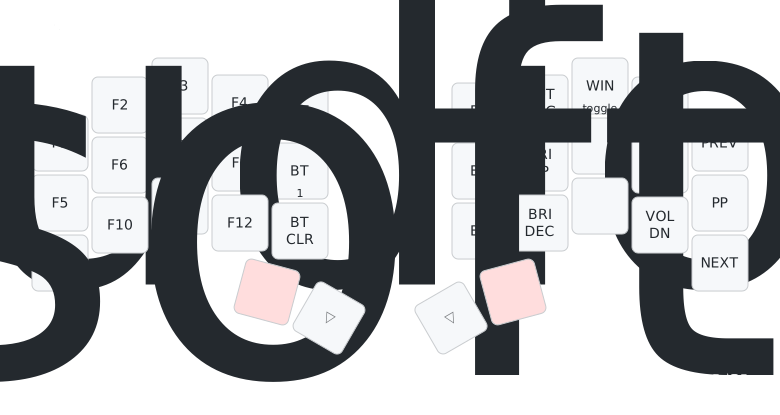
Section titled “Functions”- Hold both
TABlayer keys to enter the function layer.BT 0toBT 4: select the Bluetooth profile you are connecting or want to connect with.BT CLR: clear the connection for the selected profile, then reconnect that profile with your device.OUT TOG: toggle between USB and Bluetooth output, so you can connect up to 6 devices: 5 over Bluetooth and 1 over USB.CODEX: pressIto enter the Codex layer. This requires Codex Micro-enabled firmware.Studio: unlock the keyboard so you can use ZMK Studio to set up keys.Off: enter soft-off mode. This is similar to deep sleep, but the keyboard can only wake from the configured wake key, currently the left thumbLSHIFTkey.
- Release the
TABlayer keys to return to the default layer.
- Hold the left
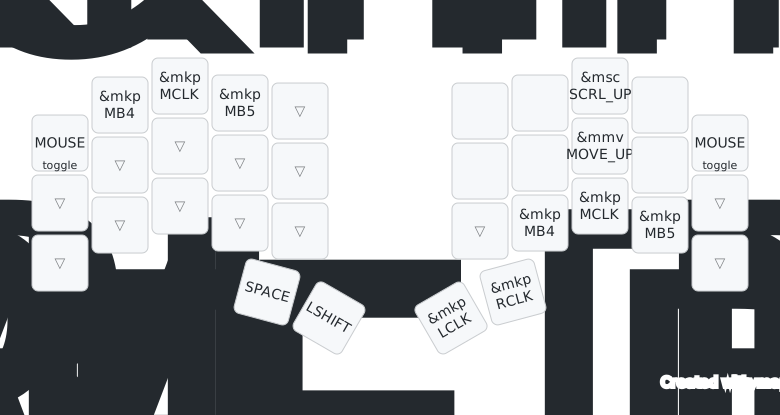
TABlayer key and pressSPACEto toggle the mouse layer. - Press
PorQto leave the mouse layer. MB4is browser back andMB5is browser forward.
- Hold both
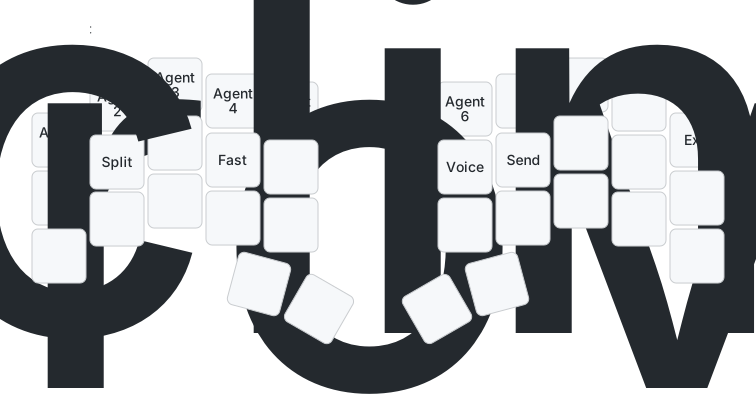
TABlayer keys to open the function layer, then pressIto toggle the Codex layer. Q–Yselect Agents 1–6.A,S,D, andFare Approve, Split chat, Decline, and Fast.Hstarts Voice input andJsends the current input.- Press
Pto leave the Codex layer and restore normal typing. - Ferris Sweep has no display, so check Agent status in the ChatGPT desktop app. All control keys still work normally.
See Using Codex Micro on the Ferris Sweep family for connection, Bluetooth re-pairing, and troubleshooting guidance.